SECTION 4: THE REFERENCE LIBRARY
Quick-Reference Materials for Practitioners
Overview
Patches aren't a replacement for your adjustments. They're a support system—they help patients' biology adapt faster to the structural changes you're making.
Here are 5 places where patches naturally fit into your workflow:

1. Start with the Master Table of Links (below)
Print this and keep it handy

2. Find the asset you need
Click the link or use the table to locate it

3. Print or customize
Each asset is designed to be printed, customized, or shared with patients

4. Refer back anytime
This is a reference library, not a sequential guide
How to use the reference library
Scenario 1: Patient Asks About Safety
1. Refer to Objections Reference Sheet → "Is it safe?"
2. Use the provided language
3. If patient wants more info, send Patient FAQ Document
Scenario 2: Patient Is Ready to Order
1. Provide Enrollment Guidance Sheet
2. Walk them through the steps (or let them self-serve)
3. Follow up after enrollment
Scenario 3: Patient Wants to Know What to Expect
1. Provide 30-Day Action Plan
2. Refer to Timeline Expectations for their specific condition
3. Schedule follow-up check-in
Scenario 4: You Want to Recommend Patches
1. Refer to Master Challenge Chart
2. Use Talking Points by Condition
3. Provide relevant Patient Handout Template
Scenario 5: Patient Needs to Measure Progress
1. Provide Vitality Assessment Form at baseline
2. Re-administer at 30, 60, 90 days
3. Track progress together
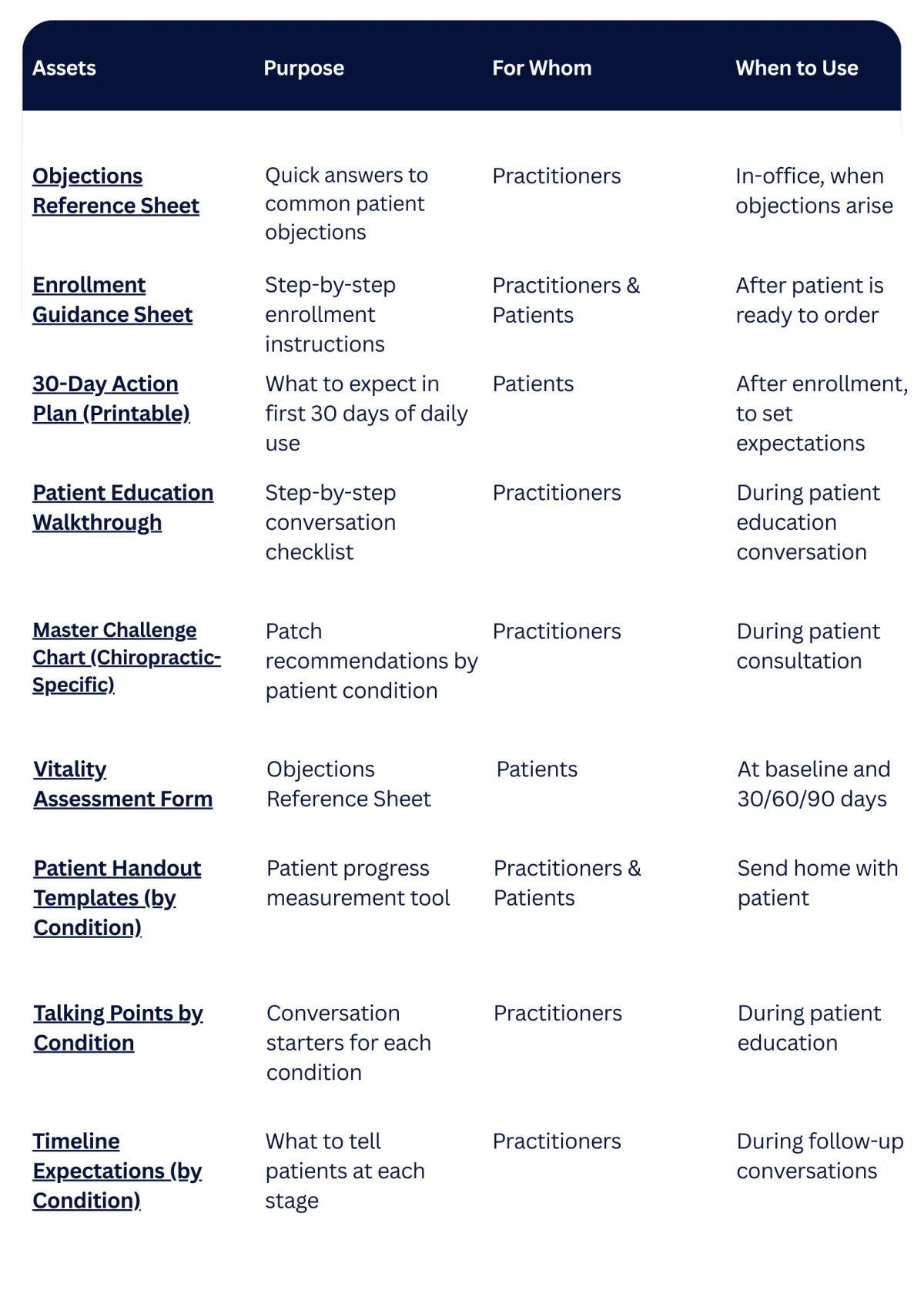
Master table of links
Print This & Keep It Handy
Asset
Purpose
For Whom
When to Use
Quick answers to common patient objections
Practitioners
In-office, when objections arise
Step-by-step enrollment instructions
Practitioners & Patients
After patient is ready to order
What to expect in first 30 days of daily use
Patients
After enrollment, to set expectations
Step-by-step conversation checklist
Practitioners
During patient education conversation
Patch recommendations by patient condition
Practitioners
During patient consultation
Customizable patient education sheets
Practitioners & Patients
Send home with patient
Conversation starters for each condition
Practitioners
During patient education
What to tell patients at each stage
Practitioners
During follow-up conversations
MASTER TABLE OF LINKS
Print This & Keep It Handy
Asset
Purpose
For Whom
When to Use
Objections Reference Sheet
Quick answers to common patient objections
Practitioners
In-office, when objections arise
Step-by-step enrollment instructions
Practitioners & Patients
After patient is ready to order
30-Day Action Plan (Printable)
What to expect in first 30 days of daily use
Patients
After enrollment, to set expectations
Patient Education Walkthrough
Step-by-step conversation checklist
Practitioners
During patient education conversation
Patch recommendations by patient condition
Practitioners
During patient consultation
Customizable patient education sheets
Practitioners & Patients
Send home with patient
Talking Points by Condition
Conversation starters for each condition
Practitioners
During patient education
Patient FAQ Document
Answers to common patient questions
Patients
Email or print to send home
What to tell patients at each stage
During follow-up conversations
Customization Guide
How to add your name, logo, contact info
Practitioners
Before printing/sharing assets
Master table of links
Print This & Keep It Handy
How to customize your assets
Before you print or share any patient-facing materials, customize them with your practice information.
What to Customize:
On All Patient-Facing Assets:
Your practice name
Your name and credentials
Your phone number
Your email address
Your practice logo (if available)
Your website or social media
On Enrollment Guidance Sheet:
Your unique enrollment link (provided by your back office
Your practice name
Your contact information
On Patient Handout Templates:
Your practice name and logo
Your contact information
Any additional notes specific to your practice
Enrollment Guidance Sheet
Download the asset (Word doc or PDF)
Open in Word or your preferred editor
Find the bracketed placeholders: [YOUR PRACTICE NAME], [YOUR PHONE], etc.
Replace with your information
Save as a new file with your practice name
Print or share digitally
Printable assets
OBJECTIONS REFERENCE SHEET
Purpose: Quick answers to common patient objections
For: Practitioners
When: In-office, when objections arise
Format: 1-page reference sheet
Common Objections & Responses
"Will this replace my adjustments?"
"No. Patches support your adjustments. Your adjustments fix structure; patches support your body's healing response. Together, they work better. Think of it like this: I adjust your spine, and the patch helps your body adapt to that adjustment faster."
"Is it safe?"
"Yes. Lifewave patches have been used safely for nearly 20 years. They're non-invasive, non-transdermal (nothing goes into your body), and there are no drugs or chemicals. If you have any specific health concerns, we can discuss them, but patches are generally safe for everyone."
"How much does it cost?"
"Depends on which patches you choose. We can start with one patch and see how you respond. You order directly, and it ships to your home. I'll walk you through the pricing when you're ready."
"What if it doesn't work for me?"
"Give it at least a week of consistent use. Some people feel immediate effects, others notice changes more subtly. If after a week you're not noticing anything, we can try a different approach or adjust how you're using it."
"Can I use it with my medications?"
"Yes. Patches work alongside medications and other treatments. They're not a replacement for anything—they're a support system. If you have specific medication concerns, we can discuss them."
"How long do I wear it?"
"12 hours on, 12 hours off is the standard protocol. Most people wear it during the day or overnight, depending on what works for their schedule."
"Where do I put it?"
"You can wear it almost anywhere on your body. The most convenient spots are the back of your neck or below your belly button. Just clean the skin, apply the patch, and leave it on for 12 hours. Then take it off and let your skin breathe."
"What if I feel worse?"
"Sometimes when the body starts healing, you might feel mild soreness or temporary discomfort as tension releases. This usually passes within a few days. If you're experiencing something that concerns you, let me know and we can adjust."
"How fast will I feel something?"
"Most people feel it the first day—usually more energy and less fatigue. If you're using it for pain, you might feel relief within minutes. But everyone's different, so pay attention to what you notice."
"Is this a scam or MLM?"
"No. This is a legitimate health technology company that's been around for 20 years. You're not joining a business—you're using a tool that supports your healing. You order directly, wear the patch, and experience the benefits. That's it."
ENROLLMENT GUIDANCE SHEET
Purpose: Step-by-step enrollment instructions
For: Practitioners & Patients
When: After patient is ready to order
Format: 1-page instruction sheet
How to Enroll & Order Your Patches

Click Your Enrollment Link
I've provided you with a unique enrollment link. Click it to get started.

Create Your Account
• Enter your email address
• Create a password
• Confirm your information

Select Your Patches
Based on our conversation, I recommend:
Tier 1 (Foundation):
• [Patch Name] — for [condition]
• [Patch Name] — for [condition]
Tier 2 (Optional):
• [Patch Name] — for [condition]
Note: You can always add more patches later. Start with what feels right.

Place Your Order
• You'll receive a confirmation email
• Patches typically ship within 2-3 business days
• You'll receive tracking information
• Complete payment

Patches Ship to Your Home
• You'll receive a confirmation email
• Patches typically ship within 2-3 business days
• You'll receive tracking information

Start Using
When patches arrive:
• Apply first patch to [recommended location]
• Wear for 12 hours
• Remove and let skin breathe for 12 hours
• Repeat daily
Questions?
If you have any questions during enrollment, contact me:
KYLE NEKRASH
+1 (250) 714 5591
PATIENT EDUCATION WALKTHROUGH
Purpose: Step-by-step conversation checklist
For: Practitioners
When: During patient education conversation
Format: 1-page checklist
Your Patient Education Conversation Checklist
BEFORE THE CONVERSATION:
Patient has identified a gap (pain, sleep, energy, recovery, etc.)
You've listened and acknowledged the gap
You're ready to introduce patches
STEP 1: IDENTIFY THE GAP (30 seconds)
Listen for patient's frustration
Acknowledge the gap without solving it yet
Example: "I hear you. Your body's responding to the adjustment, but the healing process is slower than we'd like."
STEP 2: INTRODUCE THE CONCEPT (1-2 minutes)
Explain light therapy (infrared mirror, biological radio signals)
Explain peptides (body's own messengers)
Explain non-transdermal (nothing goes into body)
Explain how it works with adjustments
Use your own words—authenticity matters
STEP 3: OFFER A SIMPLE NEXT STEP (1 minute)
Choose your approach:
Option A: In-clinic application (apply patch, wear 12 hours, report back)
Option B: Take-home expansion (expand on today's adjustment)
Option C: Information first (send home info, discuss next visit)
Speak with confidence and authority
No pressure—just an invitation
AFTER THE CONVERSATION:
Patient understands the concept
Patient knows next steps
Patient has your contact info if questions arise
NOTES:
If objections come up, refer to your Objections Reference Sheet
If patient is ready to enroll, provide Enrollment Guidance Sheet
If patient needs more time, send home information

Stem Cell Innovation Recognition
LifeWave’s product duo was honored as “Stem Cell Innovation of the Year” in the 2025 BioTech Breakthrough Awards program.
Reference Materials
MASTER CHALLENGE CHART
Purpose: Patch recommendations by patient condition
For: Practitioners
This is your existing Master Challenge Chart, reviewed and formatted for easy reference
VITALITY ASSESSMENT FORM
Purpose: Patient progress measurement tool
For: Patients (baseline and follow-up)
This is your existing Patient Vitality Assessment Form, kept universal and patient-specific
TALKING POINTS BY CONDITION
Purpose: Conversation starters for each condition
Included Conditions:
Chronic Inflammation, Sleep, Stress, Fatigue, Pain, Aging, etc.
Each condition includes: opening statement, explanation, benefits, timeline, common questions
PATIENT FAQ DOCUMENT
Purpose: Answers to common patient questions
Included Questions:
How do patches work? Is it safe? How long do I wear it? Where do I put it? How fast will I feel something? What if it doesn't work? etc.
Answers are patient-friendly and non-technical
TIMELINE EXPECTATIONS
Purpose: What to tell patients at each stage
Included Conditions:
All conditions from handouts.
Each condition includes: Week 1 expectations, Week 2-3 expectations, Week 4+ expectations
PATIENT HANDOUT TEMPLATES
Purpose: Customizable patient education sheets
Available Templates:
• Chronic Inflammation & Recovery
• Sleep Disturbances
• Stress & Nervous System Dysregulation
• Chronic Fatigue & Low Energy
• Pain Management
• Aging-Related Degeneration
• Post-Adjustment Support
• Tissue Adaptation & Healing
• Athletes & Performance Recovery
• Practitioner Self-Care
Each template includes: condition overview, how patches help, what to expect, usage instructions, customization fields
Clinical research and medical Pubmed studies
This section provides peer-reviewed research supporting the biological mechanisms discussed in this portal. These studies focus on photobiomodulation, peptide activation, inflammation modulation, mitochondrial function, and tissue repair.
These are not treatment claims. They provide scientific context for the mechanisms behind light-based cellular communication and endogenous peptide signaling.

X39 RAPID HEALING RESULT

X39 + Carnosine + Glutathione

Energy Patch Improves Circulation & reduces stress
Discover Additional Studies and
Explore More Groundbreaking Results

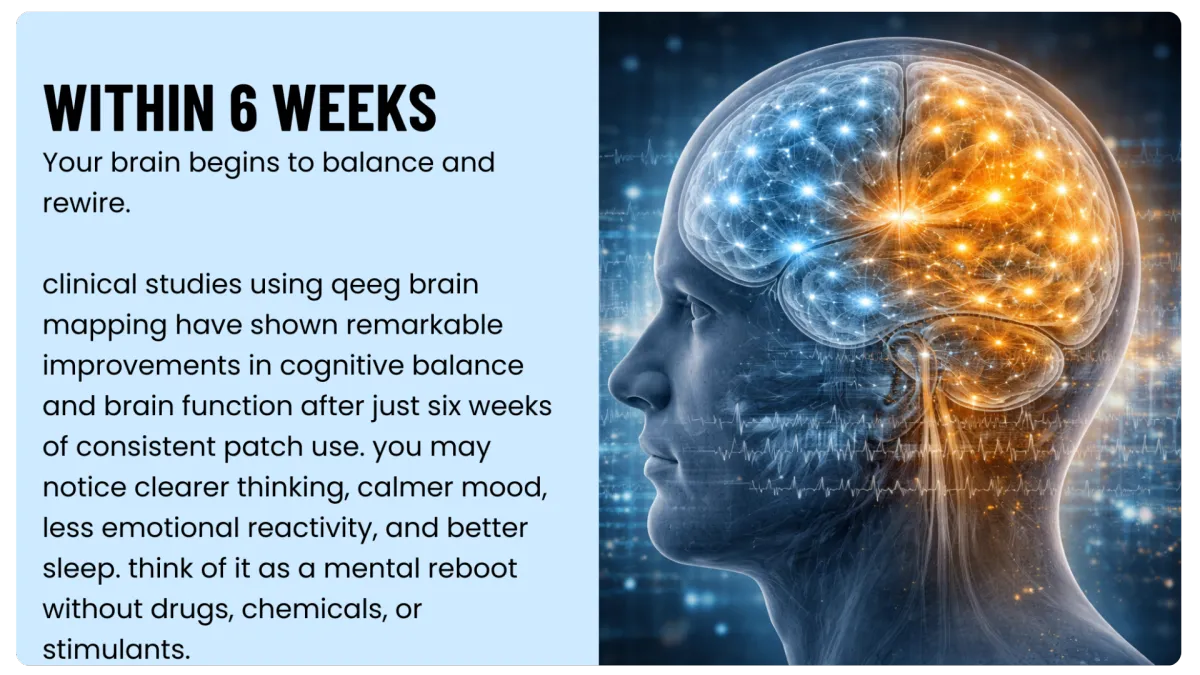
BRAIN MAPPING
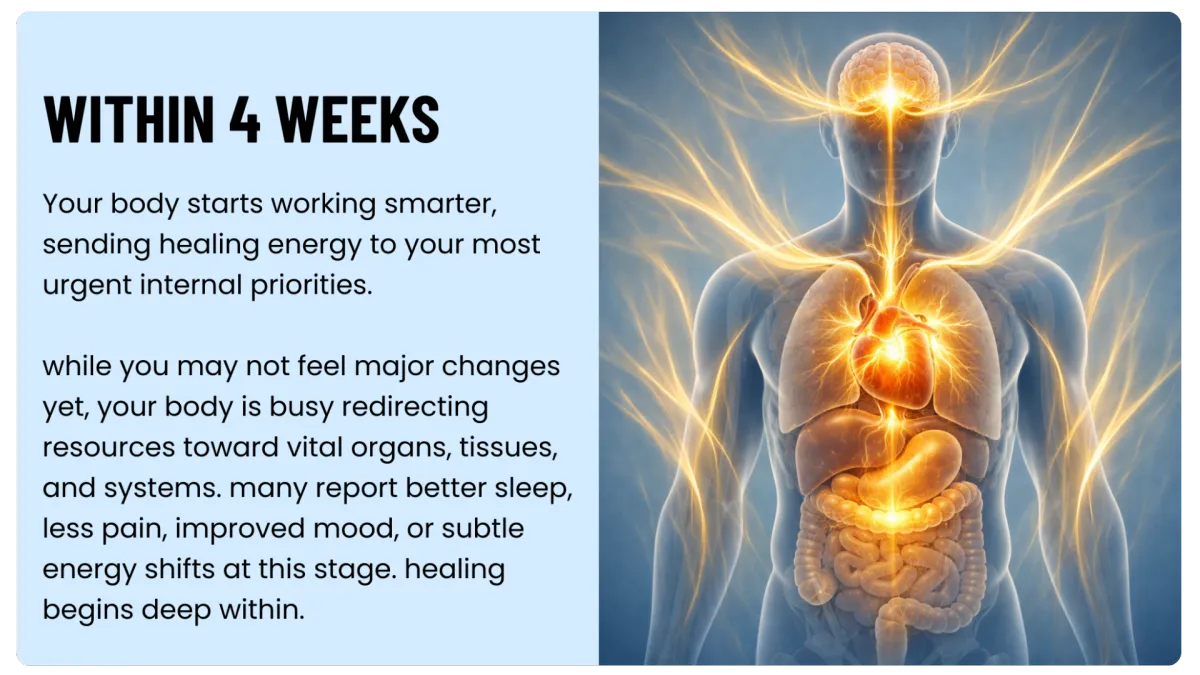
What to expect from X39


Feedback and updates
As you use these materials, you'll discover what works, what needs adjustment, and what's missing.
Please share:
Which assets are most useful?
Which ones need adjustment?
What new assets would help?
What questions come up most often?


© 2026 The Reset Catalyst. All Rights Reserved.